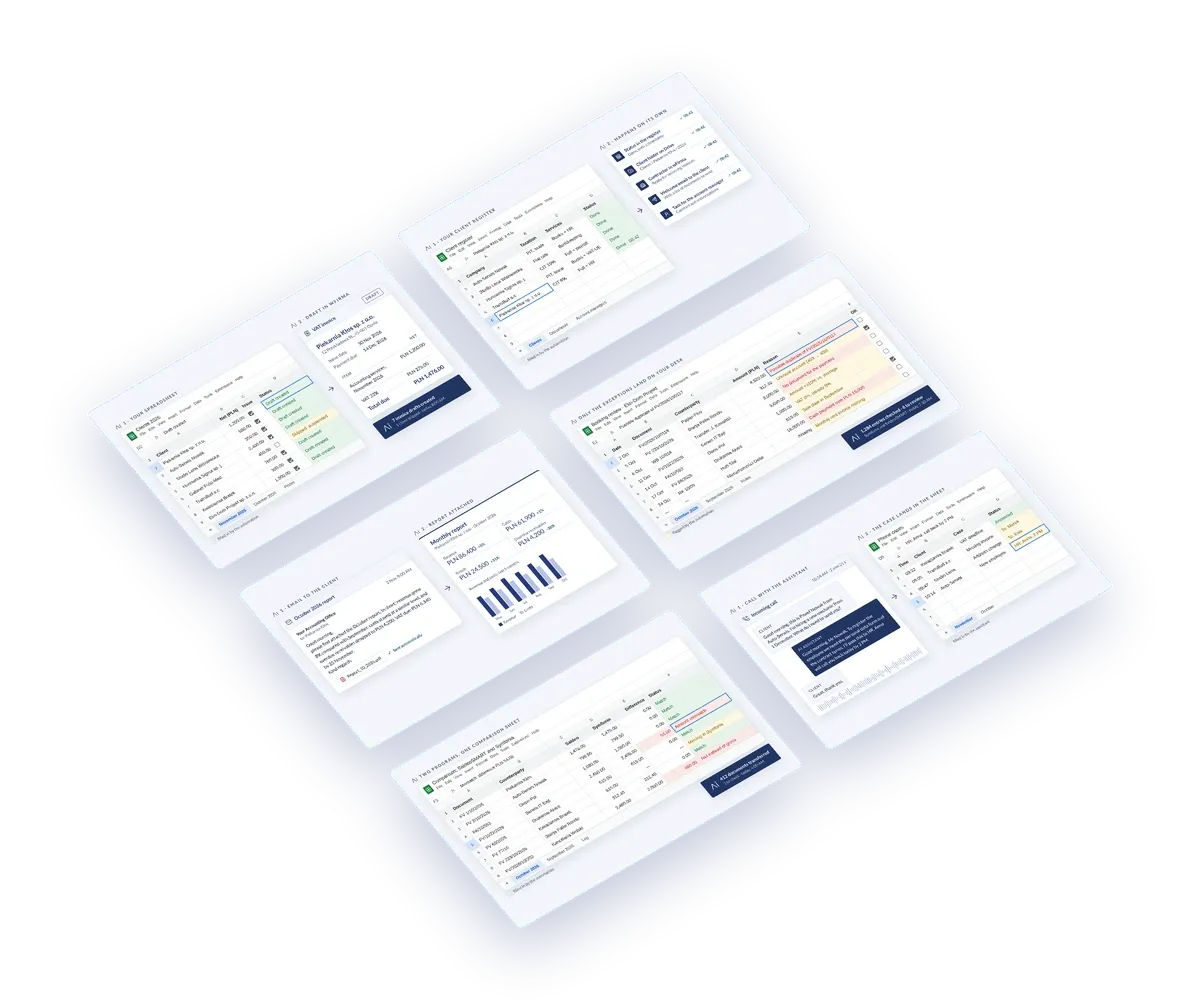
Recurring invoices
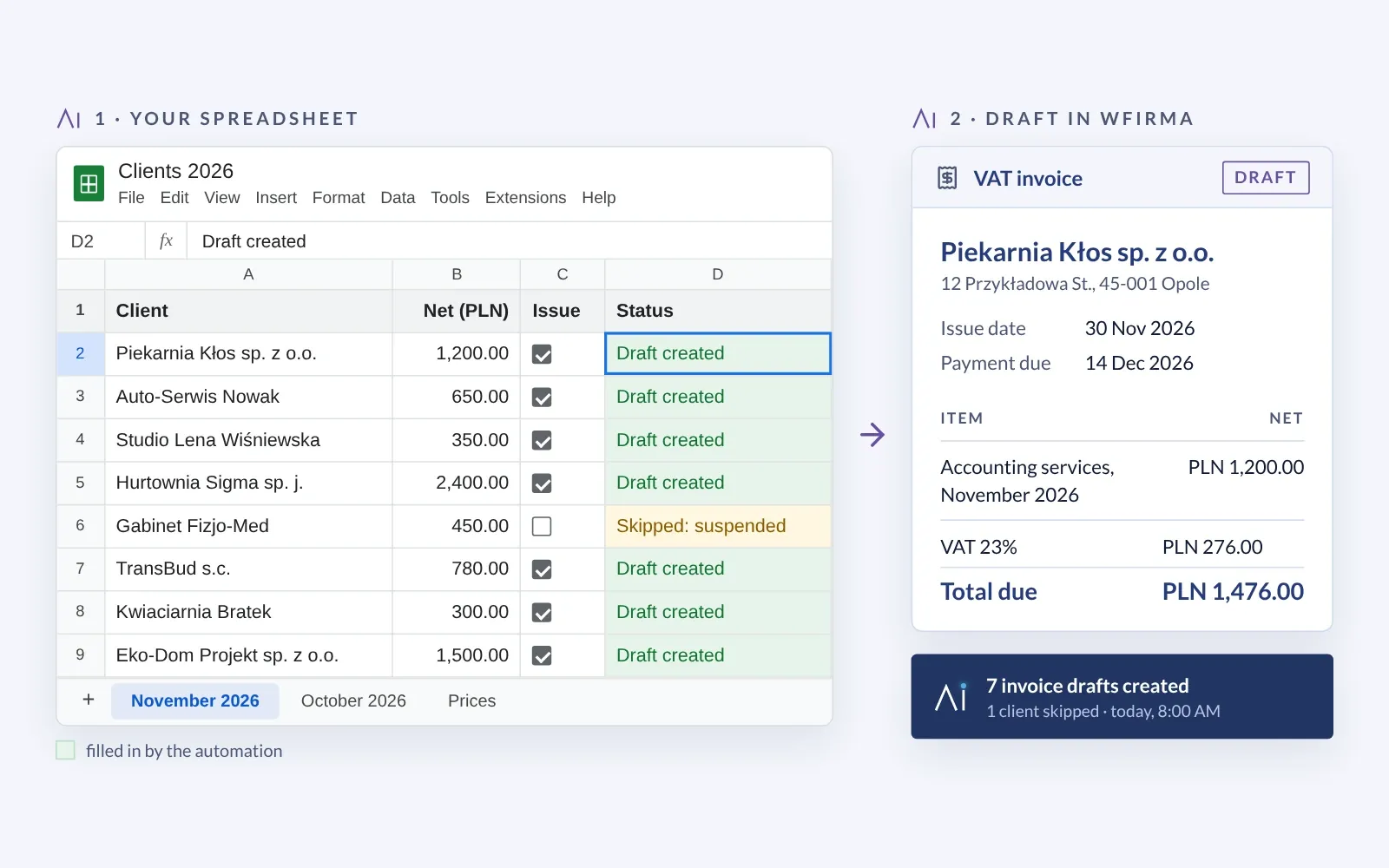
Repeat invoices prepare themselves in wFirma. We identify the customer by their tax ID (NIP), and the draft waits for your approval.
wFirma
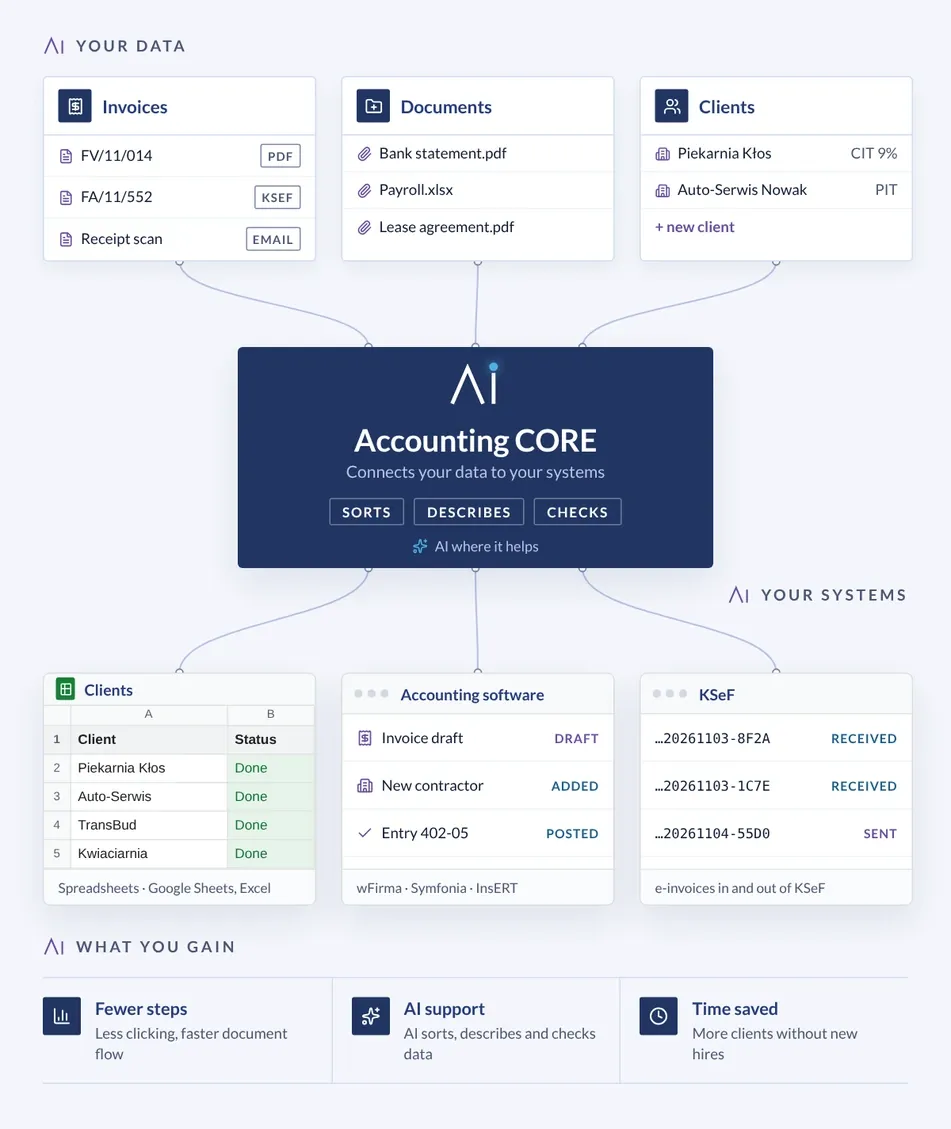
Invoices, documents and client data go into Accounting CORE, and from there — sorted, annotated and checked — into spreadsheets, accounting software and KSeF (Poland's National e-Invoicing System).
Every firm works a little differently, so we start with the process that takes the most time in yours. Automations marked as live already run in accounting firms; we build the others to fit a particular firm. Not every automation needs AI: Accounting CORE uses it where it helps, and you decide what to put in place.
Repeat invoices prepare themselves in wFirma. We identify the customer by their tax ID (NIP), and the draft waits for your approval.
wFirma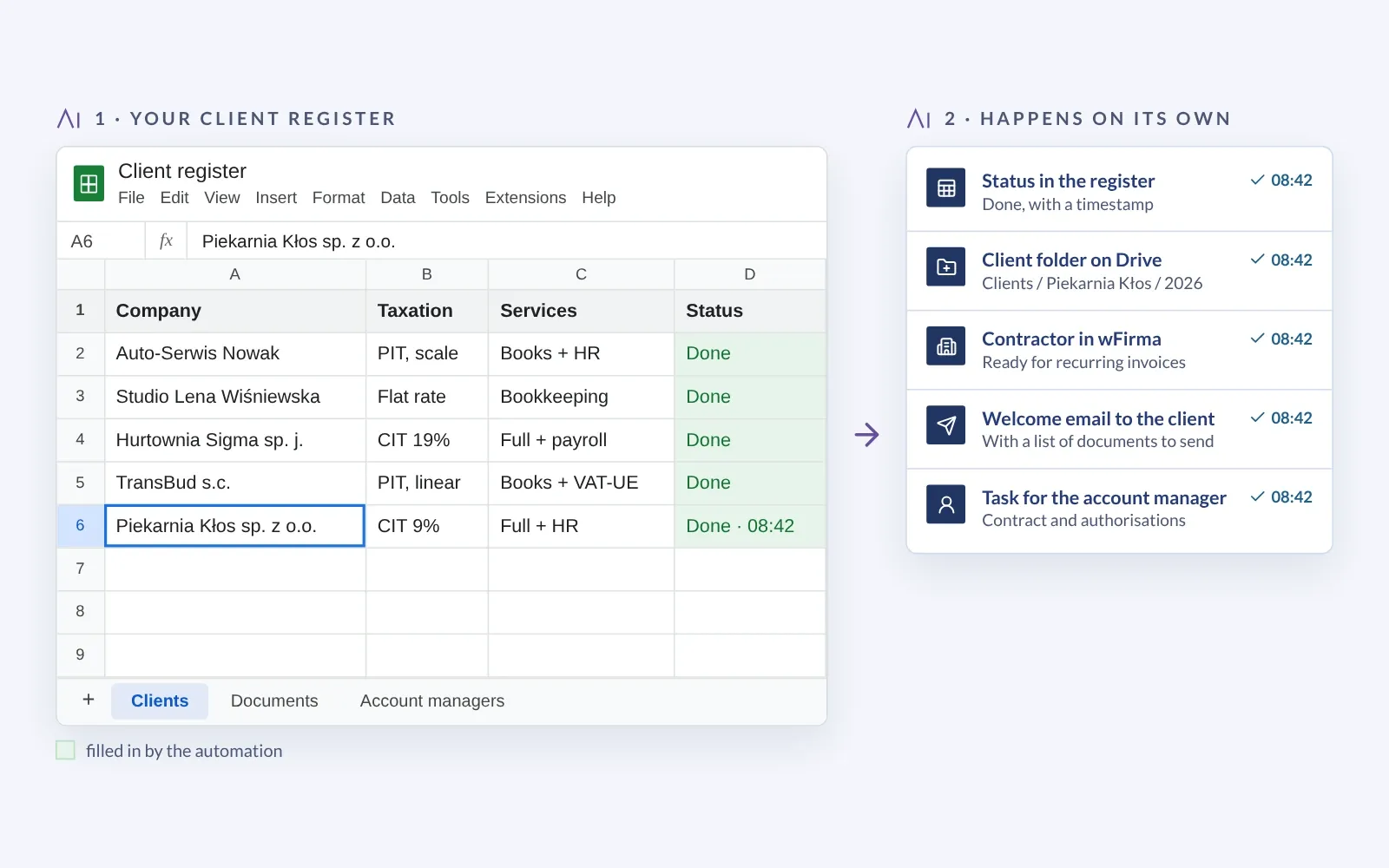
A new client's data, documents and access credentials, collected in one process — no emails back and forth.
Firm process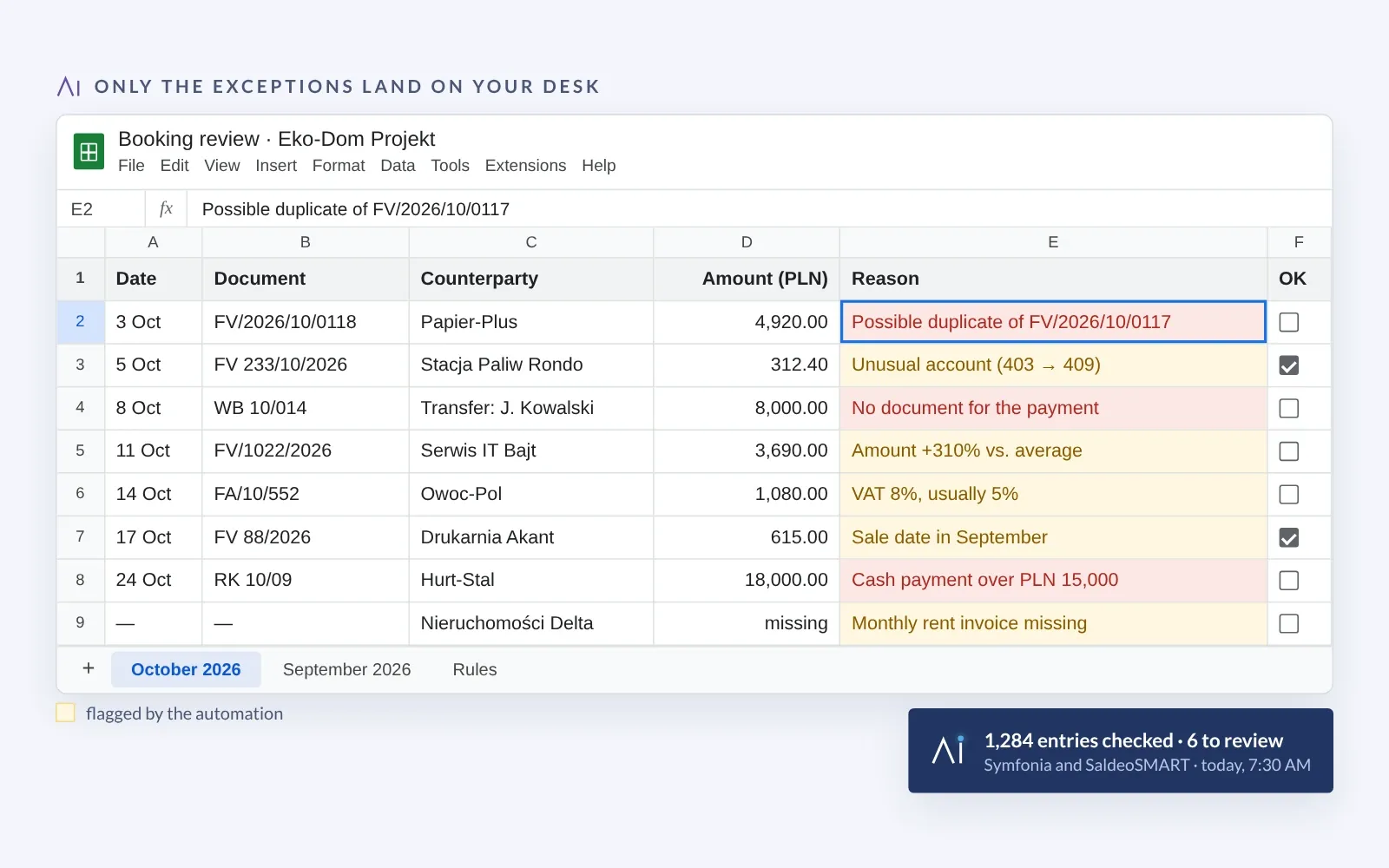
The automation checks postings where Symfonia and SaldeoSMART meet and flags items that need verification. The accountant reviews the exceptions, not everything.
Symfonia · SaldeoSMART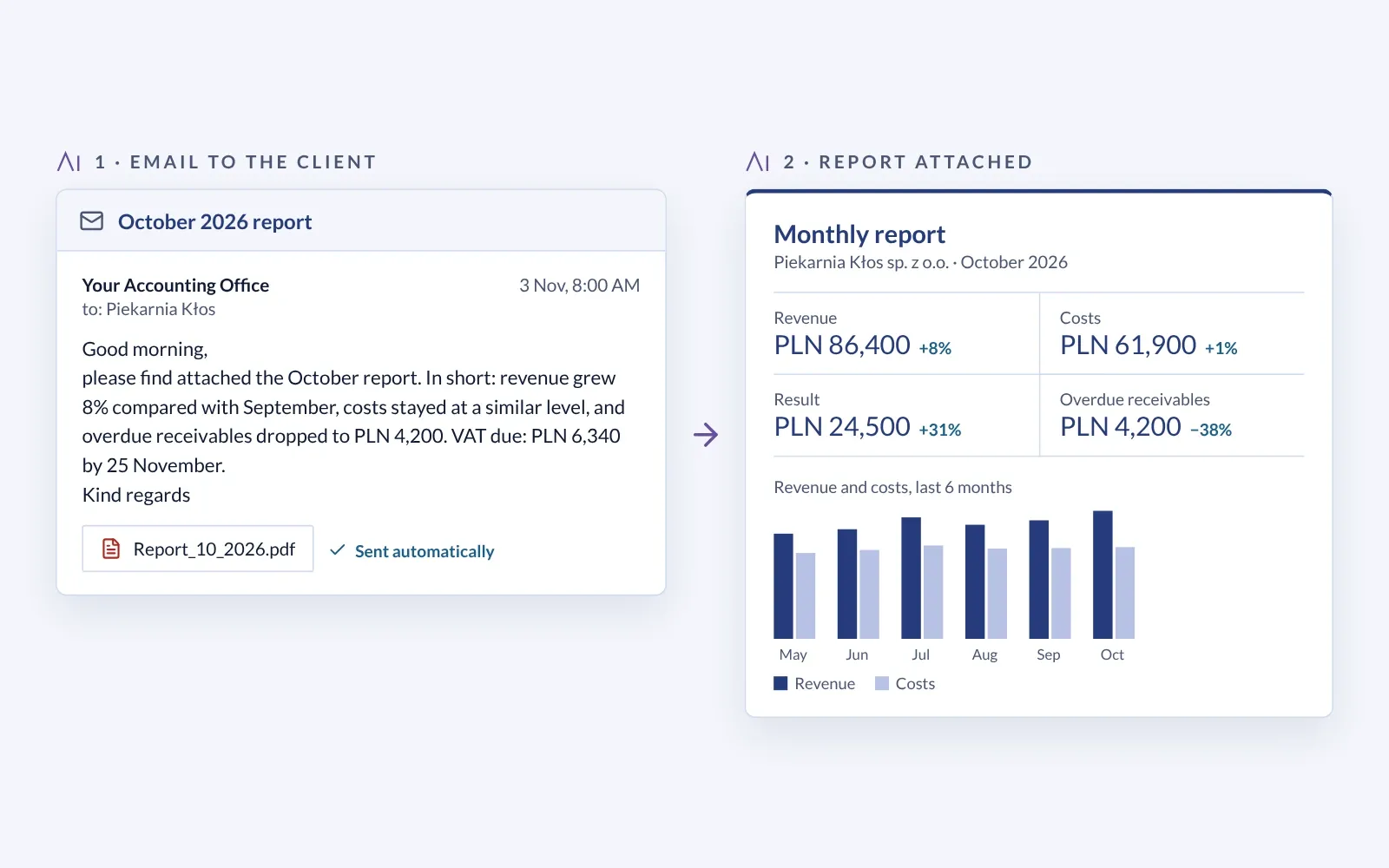
Data from the accounting software becomes a report, such as revenue, costs and receivables. The automation emails it to the client with a short summary.
Reports · email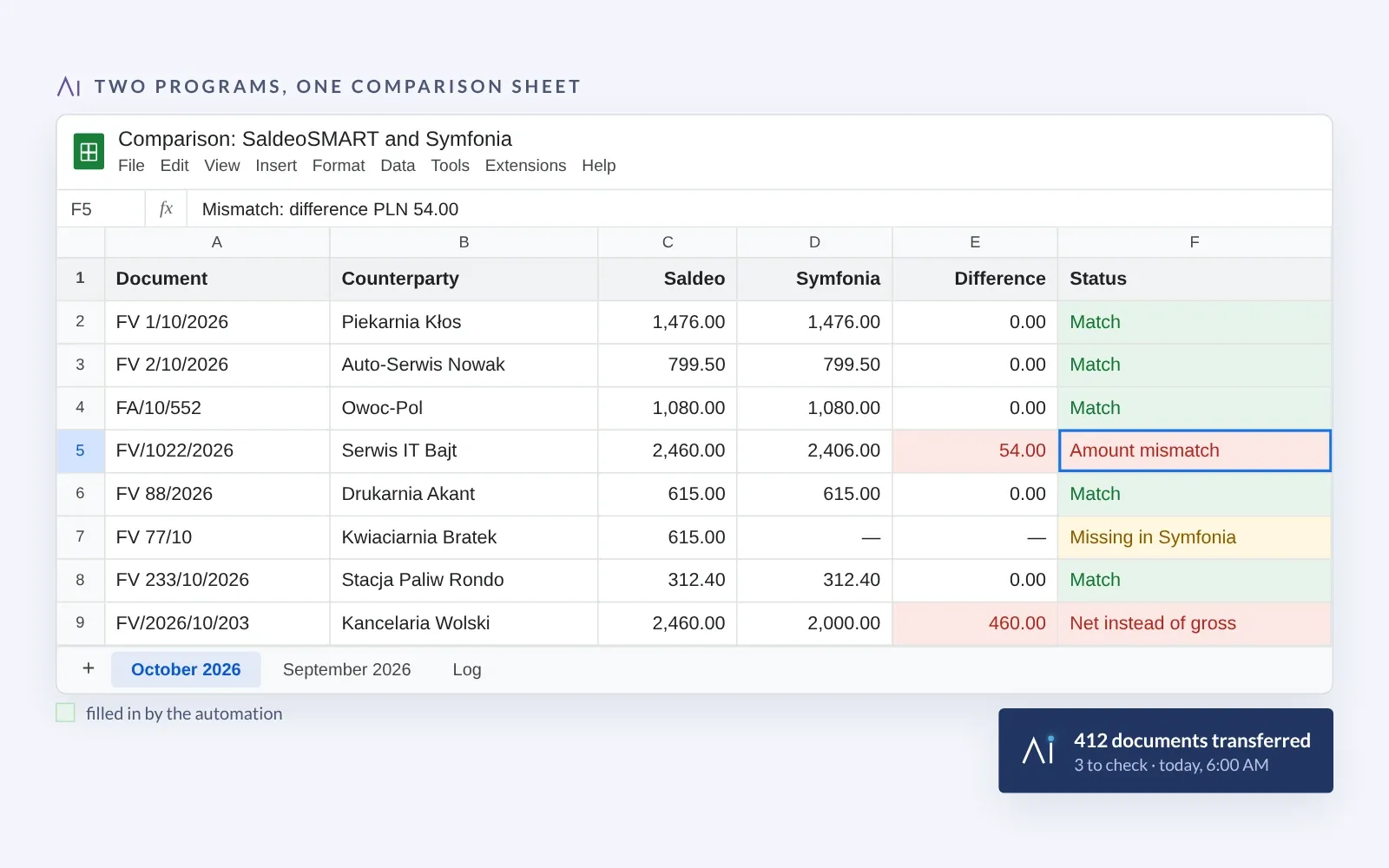
Data moves between programs with no retyping. The automation compares both sources and points out discrepancies to check.
Between programs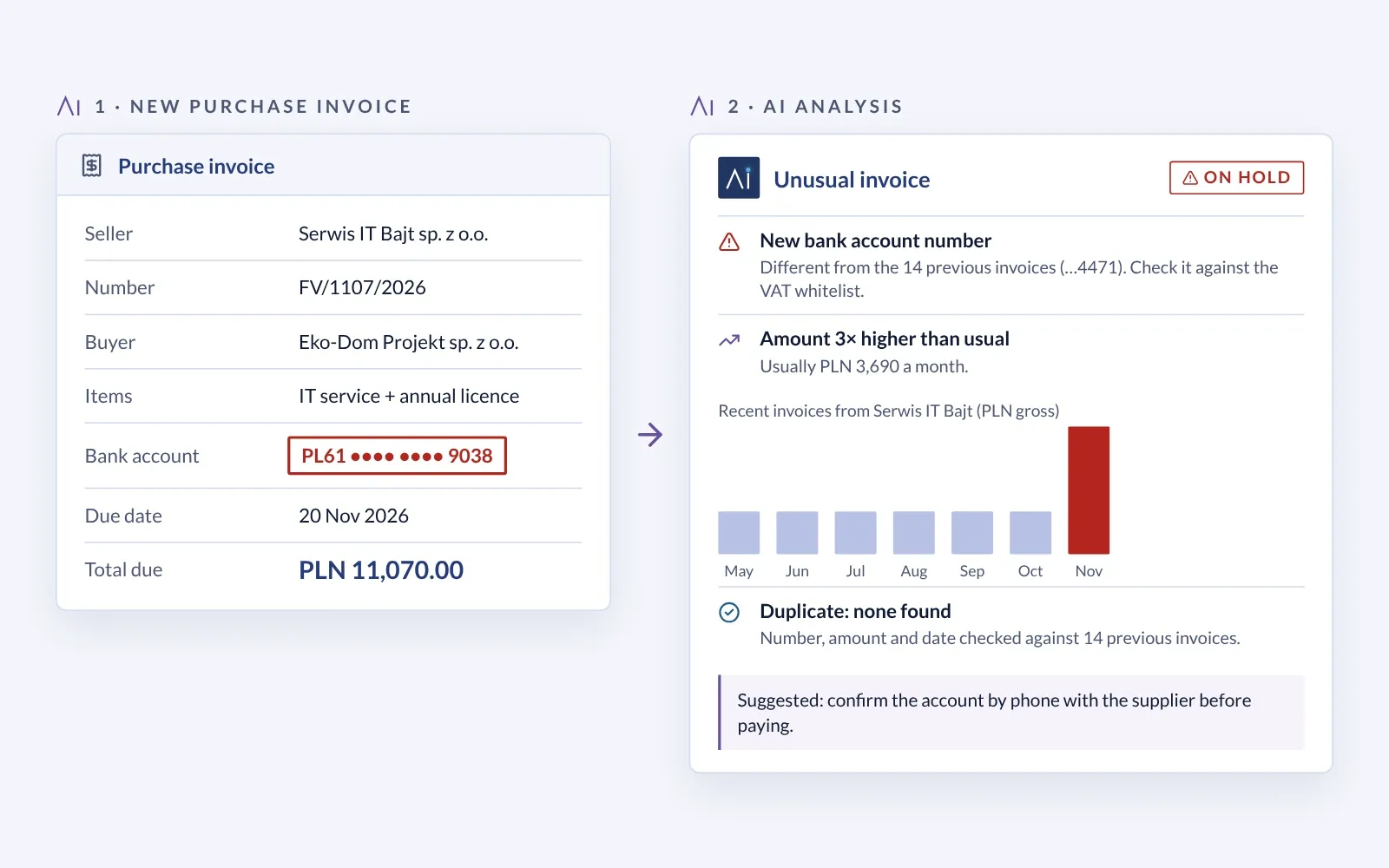
AI compares an invoice with the supplier's history and catches what stands out: an unusual amount, a different bank account, a likely duplicate.
AI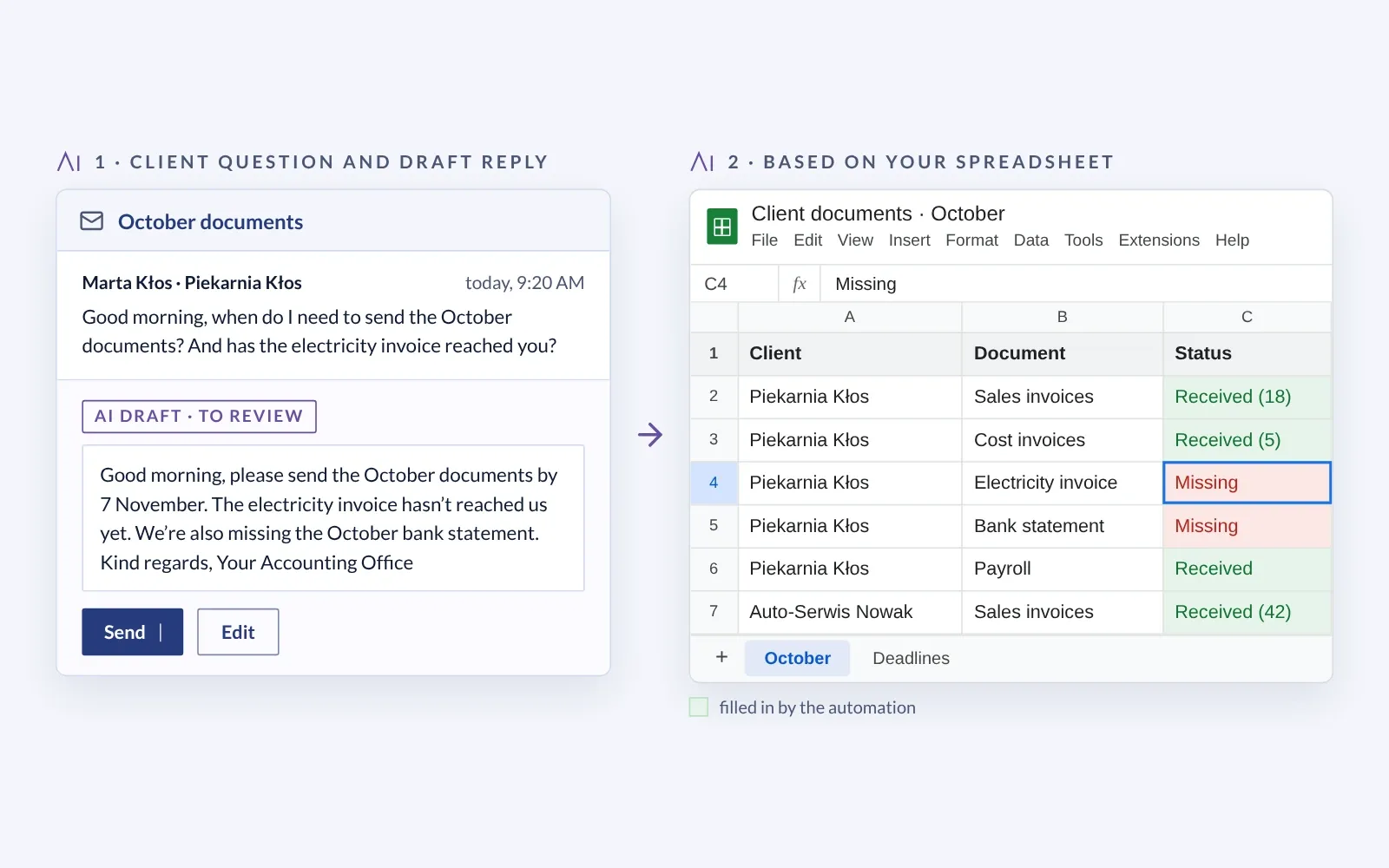
A language model drafts replies to clients’ routine questions, such as deadlines or missing documents. The accountant checks them before they go out.
AI · email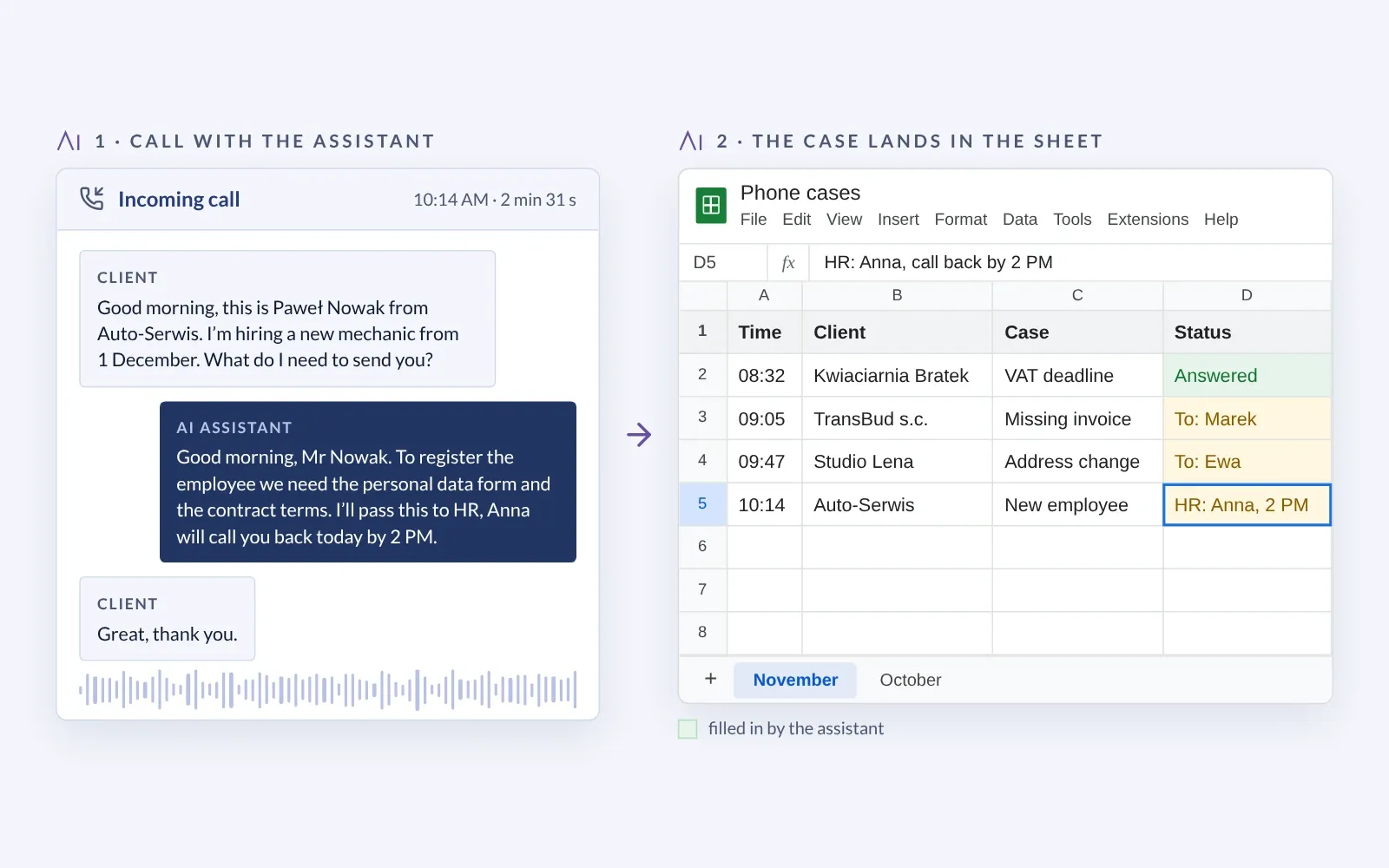
Answers the firm's phone, handles simple questions, notes down requests and passes them to the right person.
AI · phoneWe are an InsERT partner.
In 2026, your clients' invoices began arriving through KSeF. Accounting CORE connects KSeF with the software your firm already uses.
KSeF becomes part of the same flow as spreadsheets, documents and client data — with no extra app to manage.
KSeF obligations come in stages, and some dates are still changing. We keep the current deadlines, the penalty-free period and the rules for corrections in one place: our KSeF page.
KSeF at a glanceThe official source: ksef.podatki.gov.pl
We sell InsERT nexo PRO licences, implement the software and connect it to automation and KSeF.
Automation between the tools you already use. Your team is not handed yet another screen to keep an eye on.
No risk to day-to-day work: nothing goes into the books until the automation's results match.
A short questionnaire before the call. We come to the first meeting with a map of your software and possible integrations.
We map out your month-end close: steps, bottlenecks and data flow. You can see where the time goes.
We plan every connection and data flow. You approve the diagram before we build anything.
Automations run alongside the manual work. Nothing goes into the books until the results match. This step is optional and depends on the project.
A full month-end close cycle under real conditions, monitored by us. We fix errors before they reach the books.
Short videos and instructions for your team, alerts in your email or messaging app, and our support after implementation. We also run AI training for accounting teams.
Pick a time in the calendar. We will go through the software and the month-end close in your firm and show what can be automated. You will get a confirmation by email.
Cal.com booking calendar
Open the calendar in a new tabTell us which software you use. We will come to the call with an initial integration map.
Sent. Thank you — we will get back to you by email.